
rustup
rustup 是 Rust 官方的工具链管理器,负责安装、升级和切换 Rust 工具链(rustc、cargo、rustfmt、clippy 等)。它类似于 Python 的 pyenv、Node 的 nvm,是 Rust 开发的标准入口。
安装
1 | |
安装后工具链放在 ~/.rustup/toolchains/,cargo、rustc 等命令实际是 ~/.cargo/bin/ 下的 rustup 代理(proxy),由 rustup 根据当前配置转发到具体工具链。
卸载:
1 | |
工具链管理
工具链(toolchain)由「通道 + 版本 + 目标平台」构成,如 stable-x86_64-apple-darwin、1.75.0、nightly-2024-01-01。
1 | |
设置默认工具链
1 | |
临时切换工具链
1 | |
rust-toolchain.toml
项目内通过配置文件固定工具链,团队成员和 CI 自动使用同一版本:
1 | |
rustup 进入该目录时自动检测并按需安装。也可用纯文本的 rust-toolchain 文件(只写通道名,如 nightly),但推荐使用 toml 格式。
优先级从高到低:命令行 +toolchain > 目录 override > rust-toolchain.toml > rustup default。
组件管理
1 | |
交叉编译目标
1 | |
升级与更新
1 | |
常用查询
1 | |
国内加速
官方源较慢时可使用镜像(以中科大为例):
1 | |
crates.io 的加速则需在 ~/.cargo/config.toml 中配置 source 替换,与 rustup 无关。
代理机制说明
~/.cargo/bin 下的 cargo、rustc、rustdoc 等都是 rustup 的硬链接/副本。执行时 rustup 按上述优先级解析出应使用的工具链,再调用 ~/.rustup/toolchains/<toolchain>/bin/ 下真正的二进制。因此:
- 不要把
~/.rustup/toolchains/*/bin直接加进 PATH,会绕过版本解析; - IDE(如 rust-analyzer)通过
rustup which或直接走代理即可自动跟随项目配置。
Related Articles
2026-09-02
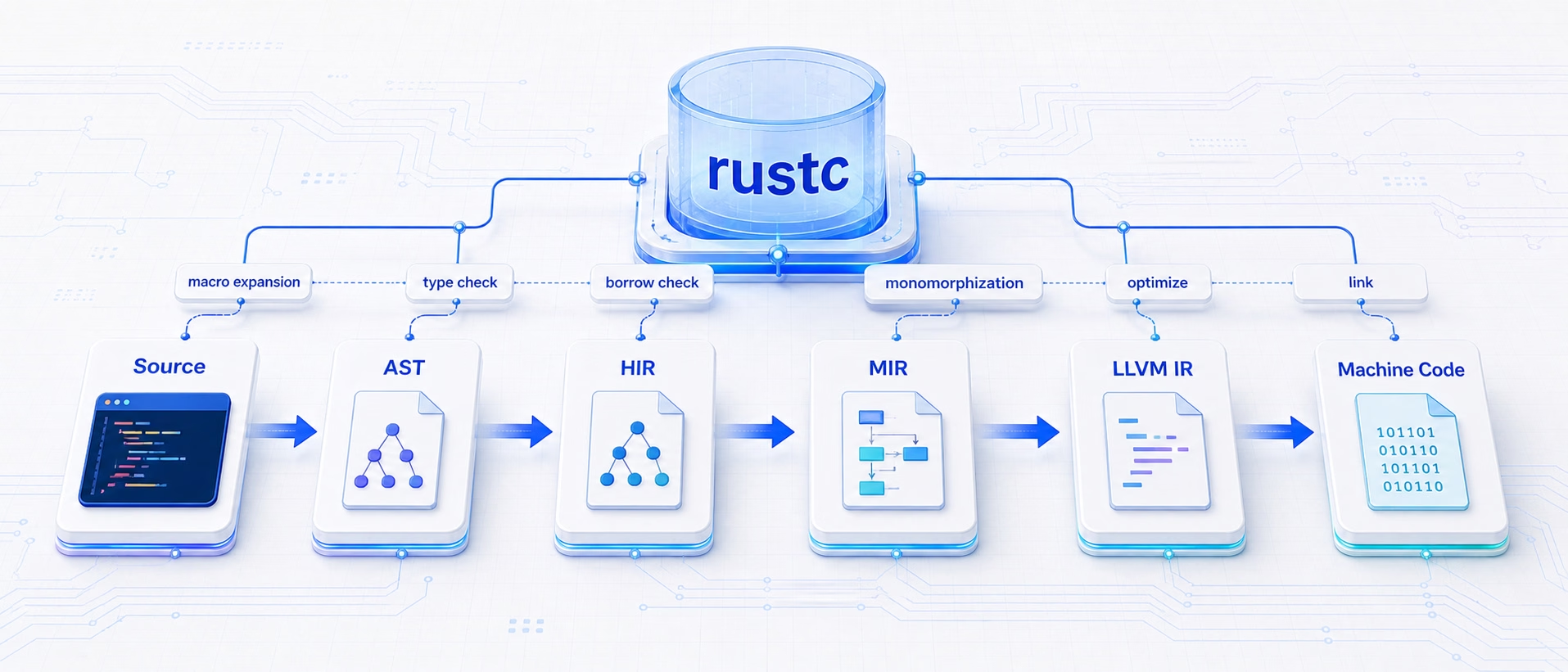
Rust 编译基础:cargo 与 rustc 的分工及编译选项
cargo build 背后其实是两个工具的分工:cargo 负责依赖解析、编译顺序调度和缓存判断,真正做编译的是 rustc——每次调用 rustc 只编译一个 crate。理解 rustc 内部的流水线,才能明白各类编译选项到底作用于哪一层。 编译逻辑链 rustc 采用多趟(multi-pass)流水线,源码逐级降阶(lowering)为越来越低级的中间表示(IR),最终交给 LLVM...
2026-08-31
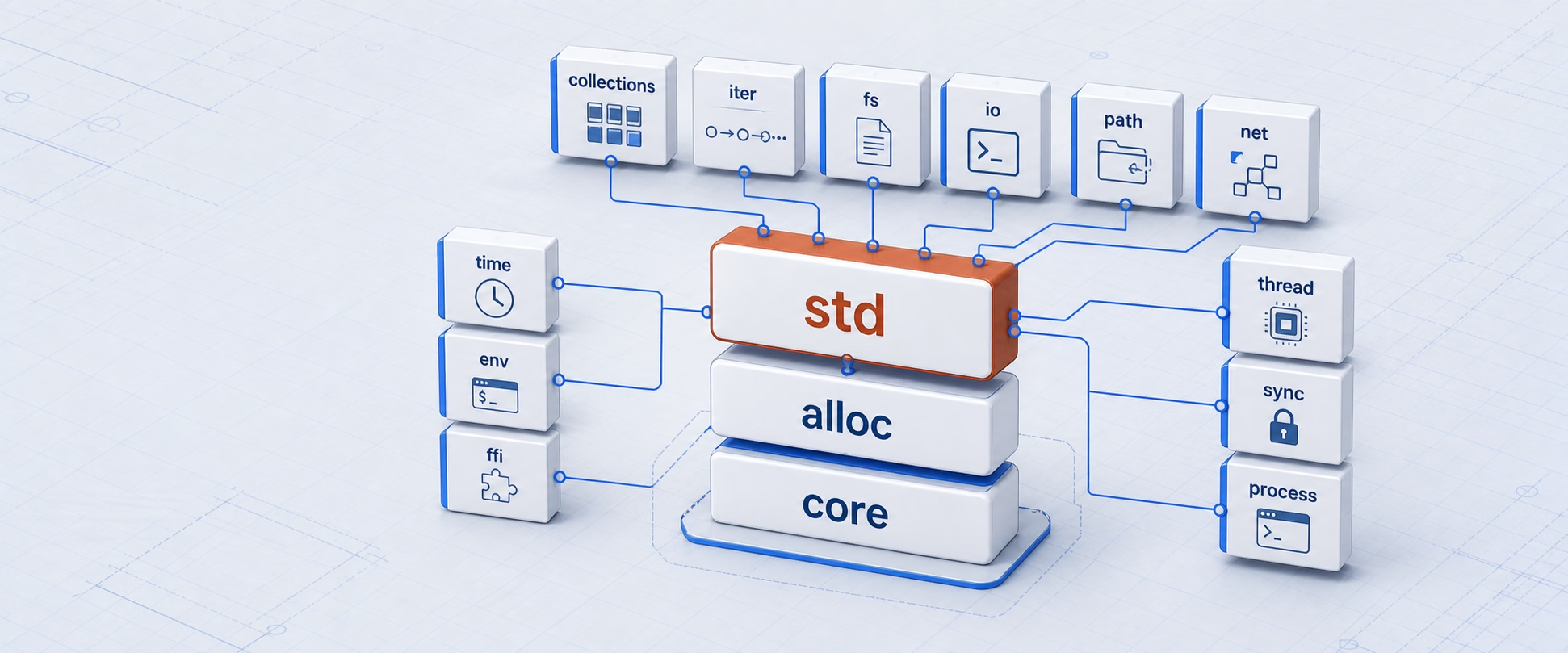
Rust 标准库 std:模块地图、常用 trait 与工程用法
std 是 Rust 默认提供的标准库 crate。它不只是若干容器和工具函数:从 Option、Result、迭代器、格式化,到文件、网络、线程、进程和平台路径,日常 Rust 程序的大多数基础能力都从这里开始。而这些能力背后大多是 trait 的约定——#[derive]、==、for、?、+、println!、文件读写与线程边界,背后都是标准库 trait。正确的使用方式不是背模块名和...

2026-08-19
Rust 工程实践:测试、性能与调试的优先级
课程概览 · 第 21 章 上一篇:Cargo 与依赖:建立可重复的 Rust 开发闭环 Rust 的类型系统在编译期消灭了一大类 bug,但业务逻辑错误、边界输入、资源关闭顺序这些仍要靠测试兜底。本章用一套任务状态转移的测试矩阵收尾整个课程:先明确测什么(可观测行为),再给单元/集成/doctest/should_panic 的确切分工,然后把调试和性能优化放进同一套"证据先...

2026-08-18
Cargo 与依赖:建立可重复的 Rust 开发闭环
课程概览 · 第 20 章 上一篇:Unsafe:把不安全性封装在最小边界 下一篇:Rust 工程实践:测试、性能与调试的优先级 Cargo 不只是构建命令,而是 Rust 项目的依赖、测试、文档和发布入口。理解 rustup、rustc、cargo 与三份配置文件(Cargo.toml/Cargo.lock/.cargo/config.toml)各自管什么,才能让"我这能跑&...

2026-08-17
Unsafe:把不安全性封装在最小边界
课程概览 · 第 19 章 上一篇:并发与异步:先划清所有权和取消边界 下一篇:Cargo 与依赖:建立可重复的 Rust 开发闭环 unsafe 不是关闭 Rust 的安全检查,而是把某几项保证交给开发者维护。好的 unsafe 代码应当很小、具有明确前置条件,并让绝大多数调用者保持 safe Rust。本章先讲 safe Rust 依赖的不变量,然后用一个 safe 包装器示范&qu...

2026-08-16
并发与异步:先划清所有权和取消边界
课程概览 · 第 18 章 上一篇:智能指针:让资源归属可组合 下一篇:Unsafe:把不安全性封装在最小边界 线程解决并行执行,异步解决大量等待中的任务。两者都不应从"怎么启动任务"开始,而要先明确:数据归谁、谁能修改、任务何时结束或取消。本章用任务队列业务域把这三条边界逐一落到可运行的代码上——先是标准库的线程与消息传递,再是一个独立的 Tokio 项目演示超时、...