开发时利用浏览器原生 ESM 按需加载,生产时交给 Rollup 打包。它不像 Webpack 那样在开发阶段先打成一个大包,而是让浏览器直接加载源码模块——项目越大,体验差异越明显。
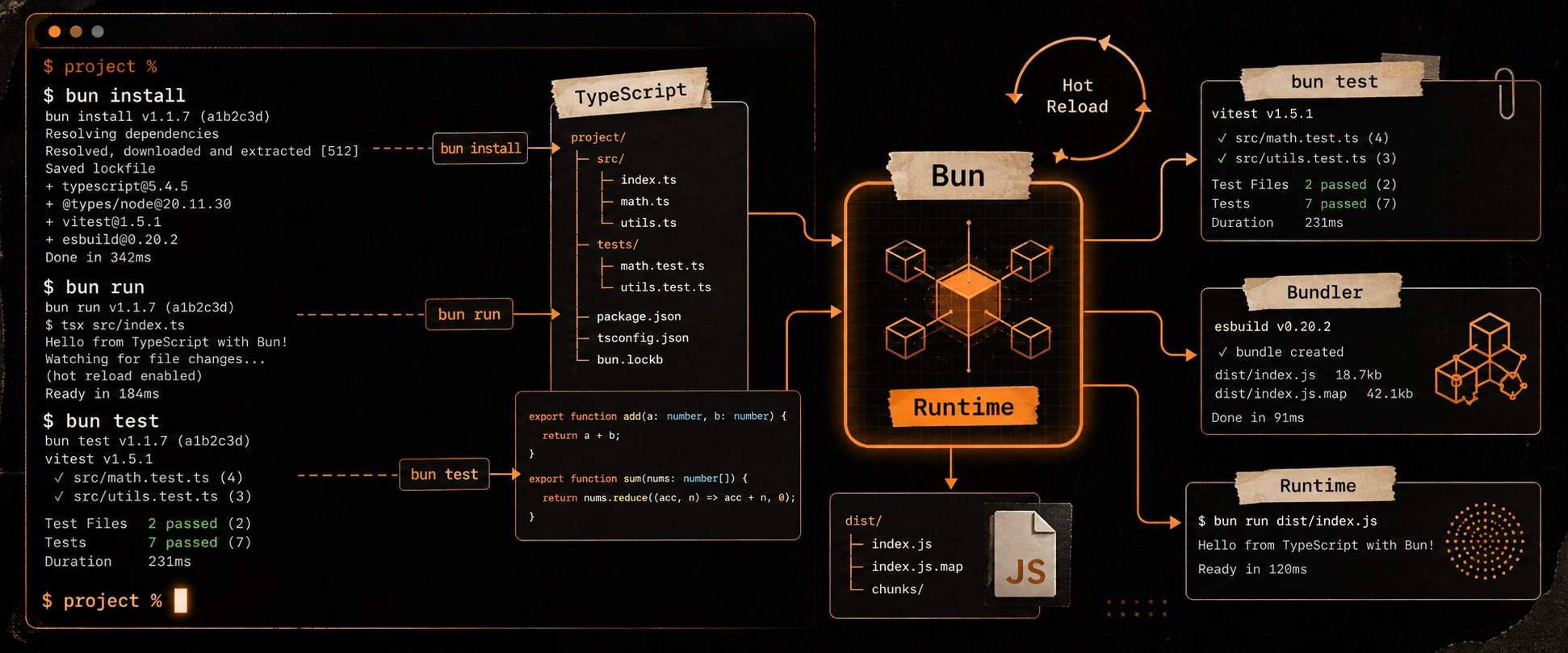
启动快 :不用全量打包,直接提供原生 ESM 模块。HMR 快 :热更新只影响变化的模块,不受应用规模影响。开箱即用 :TypeScript、JSX、CSS、静态资源开箱支持。插件生态清晰 :兼容 Rollup 插件生态。对 Vue、React、Svelte、Solid 等现代框架,Vite 基本已是默认推荐方案。本文统一使用 bun。
创建项目 1 2 3 4 bun create vite@latest my-app -- --template vue-ts cd my-app
常用启动参数:bunx vite --port 3000、--host 0.0.0.0、--open、--https。
项目结构 1 2 3 4 5 6 7 8 9 10 my-app/
index.html 不是单纯的壳子,它是 Vite 的入口之一,模块加载从这里开始。
核心概念 原生 ESM :开发期直接依赖浏览器 ESM,import 按需加载,模块边界清晰。依赖预构建 :用 esbuild 把 CommonJS / 复杂依赖转成浏览器友好的形式。按需编译 :只有被访问的文件才处理,热更新只波及变化模块的最小范围。Rollup 生产构建 :开发期追求速度,生产期由 Rollup 做代码分割、压缩和产物输出。配置文件 vite.config.ts(或 .js、.mjs),按需取用:
1 2 3 4 5 6 7 8 9 10 11 12 13 14 15 16 17 18 19 20 21 22 23 24 25 26 27 28 29 30 31 32 33 34 35 36 37 38 39 40 41 42 43 44 45 46 47 48 49 50 51 52 53 54 55 56 57 import { defineConfig } from 'vite' ;import vue from '@vitejs/plugin-vue' ;import { resolve } from 'node:path' ;export default defineConfig (({ mode } ) => ({base : '/' , plugins : [vue ()],resolve : {alias : { '@' : resolve (__dirname, 'src' ) },extensions : ['.mjs' , '.js' , '.ts' , '.jsx' , '.tsx' , '.json' , '.vue' ],css : {modules : { localsConvention : 'camelCaseOnly' },preprocessorOptions : {scss : { additionalData : `@use "@/styles/variables.scss" as *;` },devSourcemap : true ,server : {port : 3000 ,open : true ,proxy : {'/api' : 'http://localhost:8080' , '/api/v1' : { target : 'http://localhost:8080' ,changeOrigin : true ,rewrite : (p ) => p.replace (/^\/api\/v1/ , '' ),'/socket.io' : { target : 'ws://localhost:3000' , ws : true }, watch : { usePolling : false }, build : {outDir : 'dist' ,sourcemap : false ,minify : 'esbuild' , assetsInlineLimit : 4096 , rollupOptions : {external : ['vue' ], output : {manualChunks : { vendor : ['vue' , 'vue-router' , 'pinia' ] },globals : { vue : 'Vue' }, optimizeDeps : {include : ['lodash-es' , 'axios' ],exclude : ['@vue/compiler-sfc' ],envPrefix : 'VITE_' ,
最常用项:plugins、resolve.alias、server.proxy、build.outDir、build.rollupOptions。
TypeScript 别名要同步到 tsconfig.json,否则编辑器会报路径找不到:
1 { "compilerOptions" : { "baseUrl" : "." , "paths" : { "@/*" : [ "src/*" ] } } }
环境变量 只有 VITE_ 前缀的变量才会暴露到前端代码。dotenv 加载,按模式区分文件:
1 2 3 4 5
1 2 3 4 import .meta .env .VITE_API_URL ; import .meta .env .MODE ; import .meta .env .DEV ; import .meta .env .PROD ;
类型提示(env.d.ts):
1 2 3 4 5 interface ImportMetaEnv {readonly VITE_API_URL : string ;interface ImportMeta { readonly env : ImportMetaEnv ; }
前端环境变量不是秘密管理系统——进了前端包就等于公开,密钥、token 不要放进来。
静态资源 src 里的资源参与构建(哈希命名、引用分析),public 里的资源原样拷贝、不参与模块解析。
1 2 3 4 import logo from './assets/logo.png' ; import raw from './data.txt?raw' ; import url from './large.png?url' ; const logoUrl = new URL ('./logo.png' , import .meta .url ).href ;
小于 assetsInlineLimit(默认 4kb)的资源自动内联为 base64。需要处理和哈希的资源放 src,纯静态文件放 public。
插件 官方:@vitejs/plugin-vue、@vitejs/plugin-react、@vitejs/plugin-legacy 等。常用社区插件:
1 2 3 4 import { visualizer } from 'rollup-plugin-visualizer' ; import compression from 'vite-plugin-compression' ; import AutoImport from 'unplugin-auto-import/vite' ; import Components from 'unplugin-vue-components/vite' ;
自定义插件就是实现几个 Rollup 式钩子:
1 2 3 4 5 6 7 8 9 10 11 12 13 import type { Plugin } from 'vite' ;function myPlugin (Plugin {return {name : 'my-plugin' ,transform (code, id ) { if (id.endsWith ('.vue' )) return { code : code.replace (/console\.log\(.*?\);?/g , '' ), map : null };transformIndexHtml (html ) { return html.replace ('</body>' , '<script>console.log("hi")</script></body>' );
多页面与库模式 多页面:在 build.rollupOptions.input 注册多个入口,每个对应一个 .html。
1 2 3 4 5 6 7 8 build : {rollupOptions : {input : {index : resolve (__dirname, 'src/main.ts' ),admin : resolve (__dirname, 'src/admin/main.ts' ),
库模式:把项目打包成可发布的库,external 外部化 peer 依赖。
1 2 3 4 build : {lib : { entry : resolve (__dirname, 'src/index.ts' ), name : 'MyLibrary' , formats : ['es' , 'umd' , 'iife' ] },rollupOptions : { external : ['vue' ], output : { globals : { vue : 'Vue' } } },
性能优化 1 2 3 4 5 const routes = [{ path : '/' , component : () => import ('./views/Home.vue' ) }];optimizeDeps : { include : ['lodash-es' , 'axios' , 'dayjs' ] }
构建优化手段:manualChunks 拆第三方包、动态导入拆路由和大组件、减少大型工具库、用 visualizer 找体积大头。开发服务器慢时清缓存 rm -rf node_modules/.vite 或设 optimizeDeps.force: true。
生产构建 1 2 bun run build
常见坑 环境变量读不到 :忘了 VITE_ 前缀,或没重启服务器。敏感信息泄露 :进了前端包就等于公开,密钥别放 VITE_ 变量。别名只配一边 :Vite 和 tsconfig.json 的别名要同步。public 当源码用public 不参与模块解析,引用方式不同(用绝对路径 /xxx)。插件装太多 :会拖慢启动和构建,按需安装。构建后路径错误 :部署在子目录要配 base: '/my-app/'。热更新不生效 :检查路径,必要时 server.watch.usePolling: true。起步模板 1 2 3 4 5 6 bun create vite@latest my-app -- --template vue-tscd my-app
Vue 3 + TypeScript 稳妥组合:Vite + Vue Router + Pinia + Vitest + ESLint。后续补齐路由懒加载、API 封装、环境变量分层、构建分析、CI 接入 lint/测试即可。
何时不用 Vite 依赖老旧构建链迁移成本高、有高度定制的复杂编译流程、或做的不是浏览器前端打包——这几种情况需谨慎。对绝大多数 SPA、组件库、后台系统、内容站点,Vite 都是稳的默认选择。