📚 TypeScript 教程系列
入门与配置 基础类型与变量声明 函数 流程控制与运算符 集合类型 异步编程与错误处理 接口与类 泛型与类型组合 高级类型 模块、装饰器与工程化 TypeScript 与 Bun 实战 (本文)TypeScript 与 React 实战 前面的章节我们系统学习了 TypeScript 的类型系统与工程化能力,但一直停留在"编译成 JS 后在浏览器或沙箱里跑"的层面。本篇把 TypeScript 带入 Bun 服务端场景:从项目初始化、tsconfig 针对 Bun 的关键配置,到内置模块类型、ESM/CJS 互操作、HTTP 服务、环境变量校验,最后落地一个可运行、可调试、可部署的 REST API 项目,帮助你把类型系统的价值真正兑现到后端工程中。
为什么在 Bun 中使用 TypeScript Bun 原生就能执行 TypeScript——不需要 tsc 预编译,也不需要 tsx 这类转译层。(Node 23.6+ 也通过 type stripping 支持直接 node file.ts 运行 .ts,但仅限可擦除语法;Bun 的转译器更完整,能处理 enum、namespace 等需要代码生成的特性。)那为什么还要在 Bun 端认真对待 TypeScript?核心原因有三点:
类型安全前移 :接口入参、数据库模型、第三方 API 返回值在编译期就能被检查,避免运行时才发现 undefined 取属性、字段拼错这类低级却高频的 bug。重构有底气 :改一个函数签名,编译器会列出所有受影响的调用点;在大型后端项目里,这比"全局搜索 + 祈祷"可靠得多。IDE 体验 :跳转定义、自动补全、内联文档都依赖类型信息,Bun 内置模块和 @types/bun 让服务端开发也能享受前端一样的智能提示。💡 成本提示 :Bun 已经把 TS 转译成本降到几乎为零——运行时零配置、零额外依赖。你只需要在 CI 或 git hook 里跑一次 tsc --noEmit 做类型检查即可。相比 Node + tsx 或 Node 23.6+ 的 strip-types 方案,Bun 的转译器对 TS 语法的容忍度更高(见下文),并省去了额外运行时依赖。
环境搭建 初始化项目 用 bun init 一键生成 TypeScript 项目脚手架:
1
2
mkdir ts-bun-app && cd ts-bun-app
bun init 会自动生成 package.json、tsconfig.json(已针对 Bun 优化)、.gitignore 等文件。接着安装 Bun 的类型定义:
@types/bun 让 TS 认识 Bun 全局对象、bun:sqlite 等 Bun 专属模块。没有它,编辑器会对 Bun.serve、Bun.file 等 API 报类型错误。
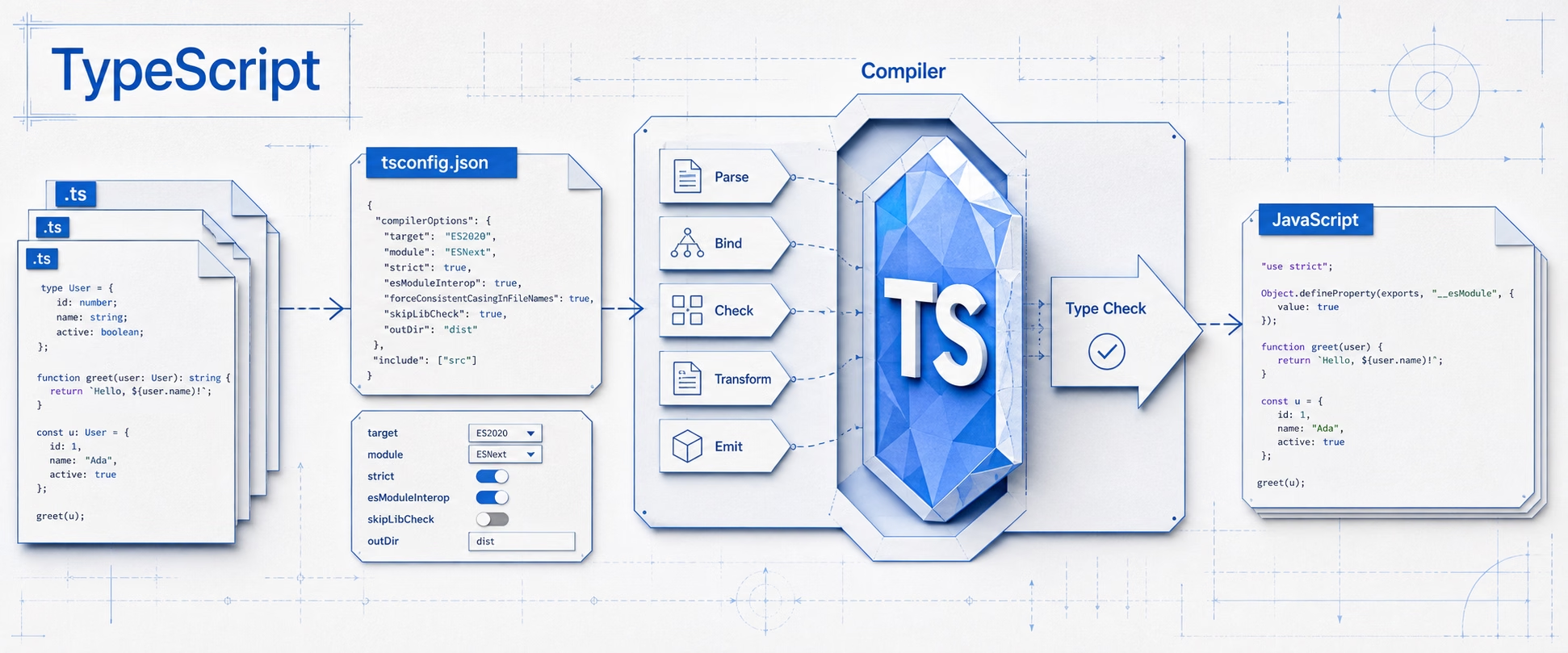
Bun 生成的 tsconfig.json bun init 生成的 tsconfig.json 已经是针对 Bun 优化的推荐配置。下面是一个精简版,逐项解释会在下一节展开。
1 2 3 4 5 6 7 8 9 10 11 12 13 14 15 16 17 18 19 20 21 22 23 24 25 { "compilerOptions" : { "lib" : [ "ESNext" ] , "target" : "ESNext" , "module" : "Preserve" , "moduleDetection" : "force" , "jsx" : "react-jsx" , "allowJs" : true , "types" : [ "bun" ] , "moduleResolution" : "bundler" , "allowImportingTsExtensions" : true , "verbatimModuleSyntax" : true , "noEmit" : true , "strict" : true , "skipLibCheck" : true , "noFallthroughCasesInSwitch" : true , "noUncheckedIndexedAccess" : true , "noImplicitOverride" : true } , "include" : [ "src" ] }
运行 TS 的方式 Bun 原生执行 TypeScript,不需要任何中间转译工具。常见方式如下:
方式 命令 适用场景 是否产出 JS 直接运行 bun src/index.ts开发与生产均可 ❌ 内存转译 监听运行 bun --watch src/index.ts开发期热重启 ❌ 内存转译 热重载 bun --hot src/index.ts开发期保留状态重载 ❌ 内存转译 打包 bun build发布 CLI / 库 ✅ 单文件
1 2 3 4 5 6 7 8 9 10 11
⚠️ Bun 转译 ≠ 类型检查 :Bun 运行时只做转译(剥离类型注解),不做类型检查 。类型错误不会阻止程序运行。因此推荐在 CI 和 git hook 中单独执行 bunx tsc --noEmit 做类型检查,把"编译通过即可信"的保障留在构建流水线里。
💡 可擦除语法与 --erasableSyntaxOnly :TS 5.6 引入 --erasableSyntaxOnly 选项,强制源码只含“可擦除语法”(类型注解等可直接删除、无需代码生成的语法),专门适配 Node 23.6+ 这类纯类型剥离运行时——它们遇到 enum、构造器参数属性等需要转换的语法会报错。Bun 的转译器做的是完整转译而非单纯剥离,能直接处理上述不可擦除语法,因此不受此限制。
tsconfig 针对 Bun 的关键选项 Bun 的运行时行为与 Node 不同,决定了 tsconfig 不能照搬传统 Node 配置。下面逐项说明。
target 与 lib Bun 基于 JavaScriptCore 引擎,支持最新的 ES 特性,因此 target 和 lib 都可以设为 ESNext,无需降级:
1 2 3 4 5 6 { "compilerOptions" : { "target" : "ESNext" , "lib" : [ "ESNext" ] } }
module 与 moduleResolution Bun 内部使用打包器风格的模块解析,因此推荐 module: "Preserve" + moduleResolution: "bundler"。其中 module: "Preserve" 是 TS 5.4 引入的新选项,专为打包器/原生 TS 运行时设计——保留导入写法、不做模块格式转换,与 moduleResolution: "bundler" 配合使用。这个组合允许你:
导入 .ts 文件时带扩展名 (allowImportingTsExtensions: true) 使用顶层 await、JSX 等 TS 默认不允许的特性 不强制 ESM 中写 .js 扩展名(Bun 运行时会自动解析) 1 2 3 4 5 6 7 8 { "compilerOptions" : { "module" : "Preserve" , "moduleResolution" : "bundler" , "allowImportingTsExtensions" : true , "verbatimModuleSyntax" : true } }
💡 与 Node 的区别 :Node 运行时要求 ESM 导入带 .js 扩展名,因此 Node 端推荐 moduleResolution: "NodeNext"。Bun 不需要——它的模块解析器与打包器一致,导入时写 .ts 扩展名也可以,甚至可以省略扩展名。
strict 与严格族 1 2 3 4 5 6 7 8 { "compilerOptions" : { "strict" : true , "noUncheckedIndexedAccess" : true , "noFallthroughCasesInSwitch" : true , "noImplicitOverride" : true } }
strict 是 strictNullChecks、noImplicitAny、strictFunctionTypes 等的合集。noUncheckedIndexedAccess 不在 strict 内,但对后端非常推荐——它让 arr[i]、obj[key] 的返回类型带上 undefined,强制你处理"键不存在"的情况,恰好对应数据库查询、JSON 解析等高频场景。
noEmit 与类型检查分离 1 2 3 4 5 { "compilerOptions" : { "noEmit" : true } }
Bun 的推荐配置中 noEmit: true 是核心设计:Bun 运行时负责转译执行,tsc 只负责类型检查 。两者职责分离,互不干扰。你不需要 outDir、rootDir 等输出配置——除非你要用 tsc 编译产出 JS 供其他运行时使用。
Node 内置模块的类型使用 Bun 兼容绝大多数 Node.js 内置模块(fs、path、process、http 等),安装 @types/bun 后,这些模块和 Bun 专属 API 都能获得完整类型提示。下面通过几个高频模块演示。
fs —— 文件系统 优先使用 fs/promises 的异步 API,避免阻塞事件循环:
1 2 3 4 5 6 7 8 9 10 11 12 13 14 15 16 import { readFile, writeFile } from 'node:fs/promises' ;import { existsSync } from 'node:fs' ;async function readConfig (path : string Promise <string > {const content = await readFile (path, 'utf-8' );return content;await writeFile ('./data.json' , JSON .stringify ({ ok : true }), 'utf-8' );if (!existsSync ('./data.json' )) {console .warn ('配置文件缺失,将使用默认值' );
💡 Bun 专属 API :Bun 还提供了 Bun.file() 返回一个 BunFile 对象,支持流式读取、获取文件信息等,性能优于传统 fs API:
1 2 3 4 const file = Bun .file ('./data.json' );const text = await file.text (); const json = await file.json (); const size = file.size ;
若 JSON 是构建期已知的静态资源,还可用 TS 5.3 的 import attributes 做类型安全导入(需在 tsconfig 开启 resolveJsonModule):
1 import data from './data.json' with { type : 'json' };
path —— 路径处理 跨平台拼接路径务必用 path,不要手写字符串拼接(Windows 是 \,POSIX 是 /):
1 2 3 4 5 6 7 8 9 import path from 'node:path' ;const dataFile = path.join (process.cwd (), 'data' , 'config.json' );const ext = path.extname (dataFile); const dir = path.dirname (dataFile);
process —— 进程与环境 1 2 3 4 5 6 7 8 9 const [,, filePath] = process.argv ;if (!filePath) {console .error ('用法: bun index.ts <file>' );exit (1 ); console .log (process.cwd (), process.platform );
ESM 下的 __dirname / __filename CJS 中可直接用 __dirname、__filename,但在 ESM(package.json 的 "type": "module")下它们不存在。Bun 提供了更简洁的替代方案:
1 2 3 4 5 6 7 8 9 10 const __dirname = import .meta .dir ;const __filename = import .meta .path ;import { fileURLToPath } from 'node:url' ;import path from 'node:path' ;const __filename_compat = fileURLToPath (import .meta .url );const __dirname_compat = path.dirname (__filename_compat);
💡 @types/bun 已内置全局类型@types/bun 后,Bun 全局对象、import.meta.dir、import.meta.path 等 Bun 专属 API 都有完整类型提示,无需额外声明。
ESM 与 CommonJS 互操作 Bun 同时支持 ESM 和 CJS,且互操作比 Node 更顺滑——Bun 的转译器会自动抹平大部分差异。在 TS 中,模块系统的选择由 package.json 的 "type" 字段决定:
配合 tsconfig 的 moduleResolution: "bundler",TS 不会强制要求导入路径带特定扩展名。两种模式下导入写法的差异:
1 2 3 4 5 6 7 8 9 10 const fs = require ('node:fs' ); import fs from 'node:fs' ; import fs from 'node:fs' ; import { readFileSync } from 'node:fs' ; import { helper } from './utils' ; import { helper } from './utils.ts' ;
⚠️ 与 Node 的差异 :Node 的 ESM 运行时强制 要求相对导入写 .js 扩展名,即便源文件是 .ts。Bun 不需要——它的模块解析器更灵活,这是从 Node 迁到 Bun 时体验提升最明显的地方之一。
互操作场景(CJS 项目导入 ESM 包,或反之)在 Bun 中几乎无感——Bun 的转译器会自动处理 require 与 import 的混用,无需动态 import() 的变通写法:
1 2 3 import chalk from 'chalk' ;console .log (chalk.green ('成功' ));
环境变量与配置校验 后端项目严重依赖环境变量(端口、数据库连接、密钥)。process.env 的所有值都是 string | undefined,直接使用既不安全也不友好。推荐用 Zod 在启动期校验并转换为强类型配置对象。
Bun 默认会自动加载项目根目录的 .env 文件到 process.env,无需额外安装 dotenv:
1 2 3 4 5 6 7 8 9 10 11 12 13 14 15 16 17 18 19 20 21 22 23 24 25 import { z } from 'zod' ;const envSchema = z.object ({NODE_ENV : z.enum (['development' , 'production' , 'test' ]).default ('development' ),PORT : z.coerce .number ().int ().positive ().default (3000 ),DATABASE_URL : z.string ().url (),JWT_SECRET : z.string ().min (16 ),const parsed = envSchema.safeParse (process.env );if (!parsed.success ) {console .error ('❌ 环境变量校验失败:' );console .error (parsed.error .flatten ().fieldErrors );exit (1 );export const env = parsed.data ;
使用处即可享受类型推断:
1 2 3 4 5 6 7 8 import { env } from './config' ;const server = Bun .serve ({port : env.PORT ,fetch (return new Response (`服务运行于 ${env.NODE_ENV} 模式,端口 ${env.PORT} ` );
实战:用 Bun.serve 构建 REST API 下面把前面所有知识点串联成一个完整的待办事项(Todo)API。Bun 内置了高性能 HTTP 服务器 Bun.serve,无需安装 Express 等第三方框架。
类型定义 先定义数据模型与请求/响应类型,遵循"类型先行"原则:
1 2 3 4 5 6 7 8 9 10 11 12 13 14 15 16 17 18 19 20 21 22 23 24 25 26 27 28 export type TodoStatus = 'todo' | 'in_progress' | 'done' ;export interface Todo {id : number ;title : string ;status : TodoStatus ;createdAt : string ;export interface CreateTodoInput {title : string ;status ?: TodoStatus ; export interface UpdateTodoInput {title ?: string ;status ?: TodoStatus ;export interface ApiResponse <T> {success : boolean ;data ?: T;error ?: string ;
仓储层 用一个内存数组模拟数据库,把数据访问封装起来,便于将来替换为真实数据库:
1 2 3 4 5 6 7 8 9 10 11 12 13 14 15 16 17 18 19 20 21 22 23 24 25 26 27 28 29 30 31 32 33 34 35 36 37 38 39 40 import type { Todo , CreateTodoInput , UpdateTodoInput } from './types' ;const store : Todo [] = [];let nextId = 1 ;export const todoRepo = {findAll (): Todo [] {return [...store]; findById (id : number ): Todo | undefined {return store.find ((t ) => t.id === id);create (input : CreateTodoInput ): Todo {const todo : Todo = {id : nextId++,title : input.title ,status : input.status ?? 'todo' ,createdAt : new Date ().toISOString (),push (todo);return todo;update (id : number , input : UpdateTodoInput ): Todo | undefined {const todo = this .findById (id);if (!todo) return undefined ;Object .assign (todo, input); return todo;remove (id : number ): boolean {const idx = store.findIndex ((t ) => t.id === id);if (idx === -1 ) return false ;splice (idx, 1 );return true ;
路由与服务 Bun.serve 内置了基于路径的路由器(Bun 1.2+),支持静态路由、参数路由和通配符,且路由参数有类型安全的自动补全:
1 2 3 4 5 6 7 8 9 10 11 12 13 14 15 16 17 18 19 20 21 22 23 24 25 26 27 28 29 30 31 32 33 34 35 36 37 38 39 40 41 42 43 44 45 46 47 48 49 50 51 52 53 54 55 56 57 58 59 60 61 62 63 64 65 66 67 68 69 70 71 72 73 74 75 76 77 import { todoRepo } from './repository' ;import { env } from './config' ;import type { ApiResponse , CreateTodoInput , UpdateTodoInput , Todo } from './types' ;import type { BunRequest } from 'bun' ;function json<T>(status : number , payload : ApiResponse <T>): Response {return Response .json (payload, { status });export const server = Bun .serve ({port : env.PORT ,routes : {'/todos' : {GET : () => json<Todo []>(200 , { success : true , data : todoRepo.findAll () }),POST : async (req) => {const body = (await req.json ()) as CreateTodoInput ;const { title, status } = body ?? {};if (!title || typeof title !== 'string' ) {return json (400 , { success : false , error : 'title 必填且为字符串' });const todo = todoRepo.create ({ title, status });return json<Todo >(201 , { success : true , data : todo });'/todos/:id' : {GET : (req : BunRequest <'/todos/:id' > {const id = Number (req.params .id );if (Number .isNaN (id)) {return json (400 , { success : false , error : 'id 必须是数字' });const todo = todoRepo.findById (id);if (!todo) {return json (404 , { success : false , error : '待办不存在' });return json (200 , { success : true , data : todo });PUT : async (req : BunRequest <'/todos/:id' >) => {const id = Number (req.params .id );const body = (await req.json ()) as UpdateTodoInput ;const todo = todoRepo.update (id, body ?? {});if (!todo) {return json (404 , { success : false , error : '待办不存在' });return json (200 , { success : true , data : todo });DELETE : (req : BunRequest <'/todos/:id' > {const id = Number (req.params .id );if (todoRepo.remove (id)) {return json (200 , { success : true });return json (404 , { success : false , error : '待办不存在' });fetch (return json (404 , { success : false , error : '路由不存在' });error (err ) {console .error (err);return json (500 , { success : false , error : '服务器内部错误' });
启动入口 1 2 3 4 5 import { env } from './config' ;import { server } from './app' ;console .log (`🚀 Todo API 已启动: http://localhost:${server.port} ` );
测试运行:
1 2 3 4 bun src/index.ts'Content-Type: application/json' -d '{"title":"学习 TS"}'
💡 Bun.serve vs Express :Bun.serve 基于 uWebSocket,性能远超 Express。路由参数有 TypeScript 类型推断(req.params.id 自动补全),无需手动声明 Request<{ params: { id: string } }>。如果你已有 Express 项目,Bun 也能直接运行——bun add express 后按传统写法即可,Bun 兼容 Express 及绝大多数 Node 生态包。
package.json scripts 配置 把常用命令固化到 scripts,让团队统一工作流:
1 2 3 4 5 6 7 8 9 10 { "scripts" : { "dev" : "bun --watch src/index.ts" , "start" : "bun src/index.ts" , "typecheck" : "tsc --noEmit" , "build" : "bun build src/index.ts --outdir dist --target bun" , "test" : "bun test" , "clean" : "rm -rf dist" } }
dev:bun --watch 监听文件变化自动重启,开发体验顺滑。start:生产环境直接用 Bun 运行 TS 源码,无需预编译。typecheck:tsc --noEmit 只做类型检查不产出,常用于 CI 与 git hook。build:bun build 打包成单文件,适合发布 CLI 或无运行时依赖的部署。test:bun test 内置测试运行器,支持 describe/it/expect 语法,无需安装 Jest。💡 bun --watch vs bun --hot--watch 在文件变化时重启整个进程,适合大多数场景;--hot 保留模块状态(如内存中的数据),仅重新加载变更的模块,适合需要保持状态的长期运行服务。
调试与 Source Map Bun 原生支持调试器,无需额外配置 source map。
用 VS Code 调试 在 .vscode/launch.json 中配置:
1 2 3 4 5 6 7 8 9 10 11 12 13 { "version" : "0.2.0" , "configurations" : [ { "type" : "node" , "request" : "launch" , "name" : "调试 TS (Bun)" , "runtimeExecutable" : "bun" , "args" : [ "src/index.ts" ] , "skipFiles" : [ "<node_internals>/**" ] } ] }
在 .ts 源码里打断点即可,VS Code 会通过 Bun 的 inspector 协议直接定位到 TS 源码行。
1 2 bun --inspect src/index.ts
--inspect 会在启动后等待调试器连接;若想在入口处暂停,使用 --inspect-brk。
构建与部署 Bun 的部署模型比传统 Node + tsc 更简洁:生产环境可以直接用 Bun 运行 TS 源码 ,无需预编译。如果需要更小的镜像或单文件产物,再用 bun build 打包。
直接运行部署 部署时只需把源码、package.json、bun.lock 拷到服务器,执行 bun install 安装依赖后 bun start 即可。Dockerfile 示例:
1 2 3 4 5 6 7 8 9 10 FROM oven/bun:latestWORKDIR /app COPY package.json bun.lock ./ RUN bun install --frozen-lockfile --production COPY tsconfig.json ./ COPY src ./src ENV NODE_ENV=productionEXPOSE 3000 CMD ["bun" , "src/index.ts" ]
oven/bun 是官方镜像,体积远小于 node:22-slim。由于不需要编译阶段,也不需要 typescript、tsx 等开发依赖,构建步骤更少、镜像更小。
打包成单文件 发布 CLI 工具或想让产物更便携时,可用 bun build 把整个项目打成一个 JS 文件:
1 bun build src/index.ts --outdir dist --target bun
1 2 3 4 5
💡 --compile 生成独立可执行文件
错误处理 Bun.serve 提供了 error 回调,统一处理路由中抛出的异常。配合 TypeScript,可以构建类型安全的错误处理流程:
1 2 3 4 5 6 7 8 9 10 11 12 13 14 15 16 17 18 import { env } from './config' ;export const server = Bun .serve ({fetch (return json (404 , { success : false , error : '路由不存在' });error (err ) {console .error ('未捕获异常:' , err);const message = env.NODE_ENV === 'production' ? '服务器内部错误' : err.message ;return json (500 , { success : false , error : message });
由于 Bun.serve 的路由处理函数支持 async,路由中 throw 的异常会被自动捕获并转交给 error 回调,无需像 Express 那样手写 asyncHandler 包装器:
1 2 3 4 5 6 7 8 9 10 11 '/todos' : {POST : async (req) => {const body = (await req.json ()) as CreateTodoInput ;if (!body.title ) {throw new Error ('title 必填' ); const todo = todoRepo.create (body);return json<Todo >(201 , { success : true , data : todo });
最佳实践速查表 维度 建议 类型声明 Bun 专属 API 用 @types/bun,Node 兼容模块也由 @types/bun 覆盖 导入前缀 统一用 node: 前缀导入 Node 兼容模块(node:fs、node:path) 模块系统 Bun 推荐 moduleResolution: "bundler",导入路径可省略扩展名 文件操作 优先 Bun.file() / fs/promises 异步 API,避免阻塞事件循环 路径拼接 一律用 path.join 或 import.meta.dir,不要手写 / 或 \ 环境变量 Bun 自动加载 .env,用 Zod 在启动期校验,导出强类型 env 对象 严格模式 开启 strict,额外推荐 noUncheckedIndexedAccess 运行工具 开发用 bun --watch,生产用 bun src/index.ts,CI 用 tsc --noEmit 调试 bun --inspect,VS Code 用 runtimeExecutable: "bun" 直接调试源码部署 单阶段 Docker(oven/bun 镜像),或 bun build --compile 生成独立二进制 脚本 dev / start / typecheck / build / test 五件套错误处理 Bun.serve 的 error 回调统一捕获,路由中直接 throw 即可测试 bun test 内置测试运行器,无需安装 Jest
类型系统是 Bun 后端项目的护城河:配置校验、路由类型、仓储层契约都在编译期被检查。Bun 把运行时成本降到几乎为零,你只需要在 CI 里跑一次 tsc --noEmit 就能拿到"编译通过即可信"的开发体验。把本篇的脚手架当作新项目的起点,在实践中体会 Bun + TypeScript 带来的工程效率提升。
至此,TypeScript 教程系列完结。从类型基础到工程化,再到服务端实战,希望这套教程能帮助你把 TypeScript 真正用进真实项目。