
C++ lambda and bind
基本表达式
1 | |
当没有返回类型时, 可以省略 -> return-type
变量捕获与lambda闭包实现
[]不截取任何变量[&]截取外部作用域中所有变量,并作为引用在函数体中使用[=]截取外部作用域中所有变量,并拷贝一份在函数体中使用[=, &foo]截取外部作用域中所有变量,并拷贝一份在函数体中使用,但是对foo变量使用引用[bar]截取bar变量并且拷贝一份在函数体中使用,同时不截取其他变量[x, &y]x按值传递,y按引用传递[this]截取当前类中的this指针。如果已经使用了&或者=就默认添加此选项。
lambda 的底层实现
lambda 其实是c++的语法糖,是通过c++编译器生成class来实现的,看一个简单的例子。
1 | |
通过cppinsights 站点来查看编译器的实现方法
1 | |
匿名函数在编译器中生成了类 class __lambda_6_16,其中operator()中使用了x和y,参数是引用传参。
再来看一个没有变量捕获的例子:
1 | |
1 | |
和有变量捕获的 lambda 的最大差异是有 operator func_type() 函数,也就是说可以转为函数指针。
lambda 表达式中需要注意的事项
mutable 关键字
默认情况下,按值捕获的变量在lambda函数体内是const的,不能修改。使用mutable关键字可以移除这个const限制:
1 | |
泛型lambda (C++14)
C++14引入了泛型lambda,可以使用auto作为参数类型:
1 | |
捕获时初始化 (C++14)
可以在捕获列表中初始化变量,这对于捕获只能移动的类型特别有用:
1 | |
模板lambda (C++20)
C++20引入了模板lambda,可以使用模板语法:
1 | |
constexpr lambda (C++17)
C++17允许lambda在编译时求值:
1 | |
this捕获的变化 (C++20)
C++20中,[=]不再隐式捕获this,需要显式捕获:
1 | |
生命周期问题
捕获引用时需要特别注意生命周期,避免悬空引用:
1 | |
性能考虑
- lambda通常会被编译器内联,性能接近普通函数
- 避免在性能关键路径中使用复杂的捕获
- 小lambda适合作为算法参数,如
std::sort的比较函数
与std::bind的比较
优先使用lambda而不是std::bind,因为:
- lambda语法更清晰
- 编译器优化更好
- 类型安全更强
- C++14后lambda功能更强大
转换为函数指针
无捕获的lambda可以隐式转换为函数指针:
1 | |
lambda参数特性
lambda的参数语法与普通函数类似,但有一些特殊之处:
默认参数
lambda支持默认参数,但需要注意使用场景:
1 | |
引用参数和const引用
可以像普通函数一样使用引用参数:
1 | |
可变参数模板 (C++14)
lambda支持可变参数模板:
1 | |
参数类型推导
C++14引入的泛型lambda可以自动推导参数类型:
1 | |
参数包展开
可以在lambda体内展开参数包:
1 | |
noexcept规范
可以为lambda指定noexcept:
1 | |
属性说明符 (C++11/14/17)
可以为lambda添加属性说明符:
1 | |
递归lambda
lambda不能直接递归调用自己,需要使用std::function或Y组合子:
1 | |
Related Articles
2026-10-13
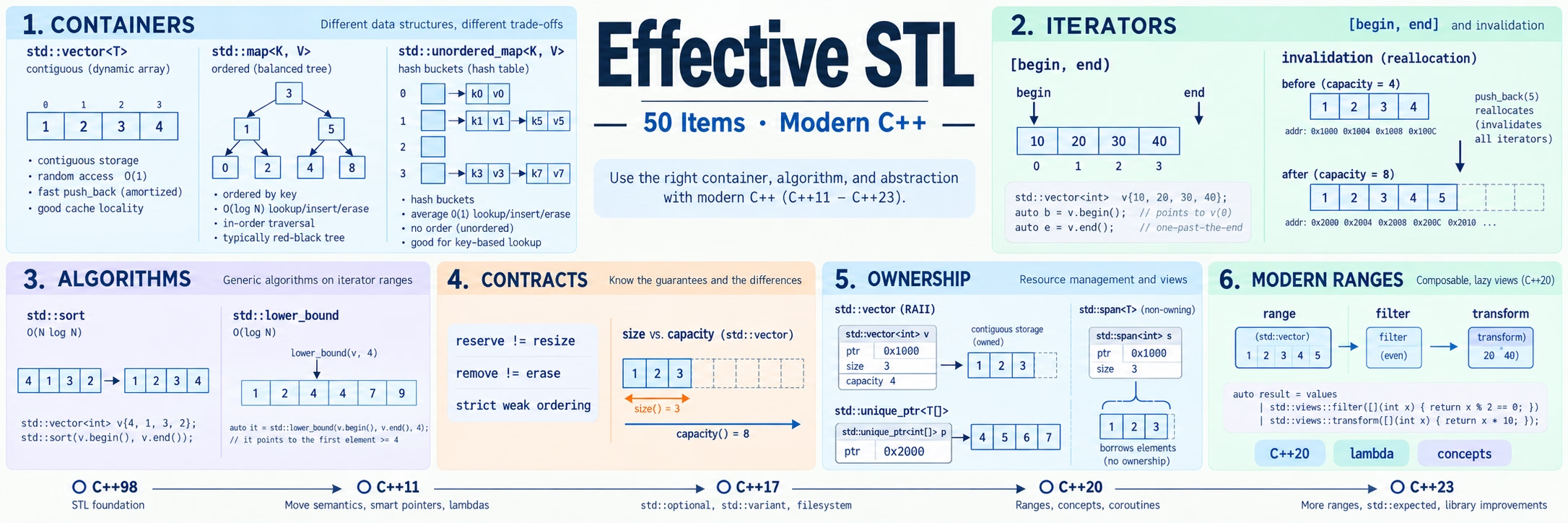
Effective STL 现代重读
《Effective STL》(Scott Meyers,2001,50 条)讨论的不是“标准库有哪些接口”,而是“怎样使用这些接口才正确、高效且可维护”。它成书于 C++98:当时没有移动语义、unique_ptr、标准哈希容器和 ranges,甚至需要解释为什么不能把 auto_ptr 放进容器。二十多年后,容器不变量、迭代器失效、严格弱序和算法前置条件依然成立,手写适配器、旧分配器限制...
2026-10-11
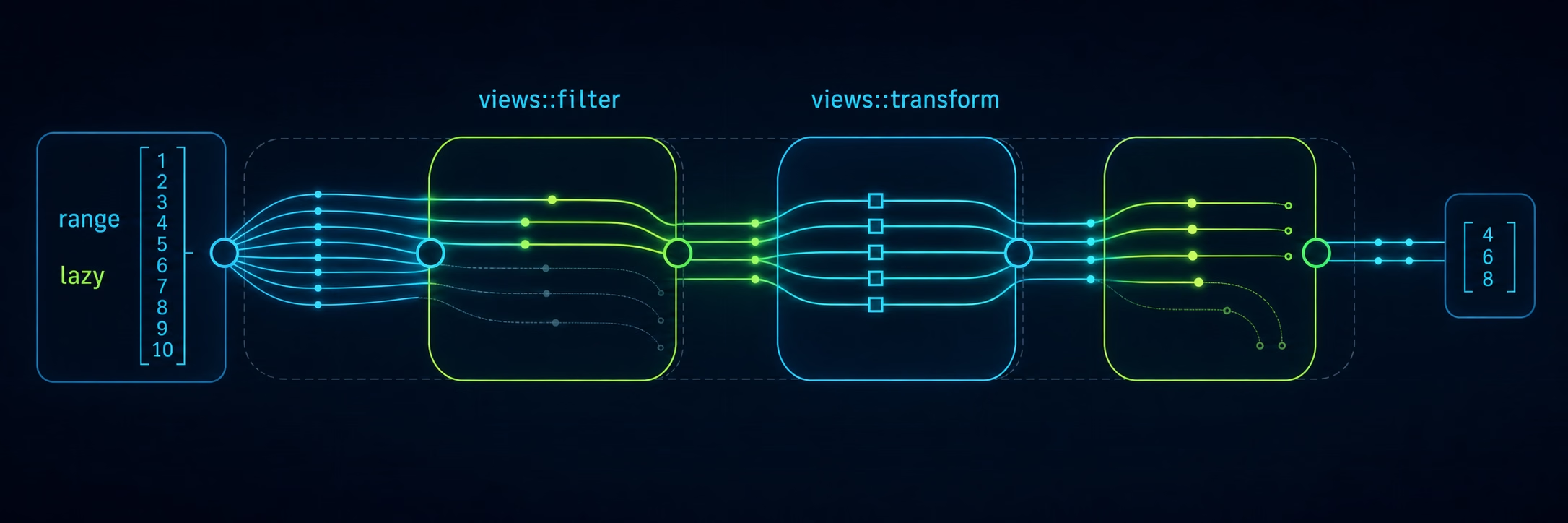
C++ Ranges(二):管道与 View Adaptors
本文承接《C++ Ranges(一):核心概念与算法》,聚焦视图工厂、适配器与管道组合。上一篇介绍 range/view 概念、借用与所有权、算法投影及 C++23 范围算法;本文示例统一以 C++23 为编译基线,章节中的 C++20/C++23 表示 ranges 设施所属的标准版本。库设施不可仅凭 -std=c++23 推断为已实现。 示例约定 本文只展示与讲解相关的代码片段,省略头文...
2026-09-28
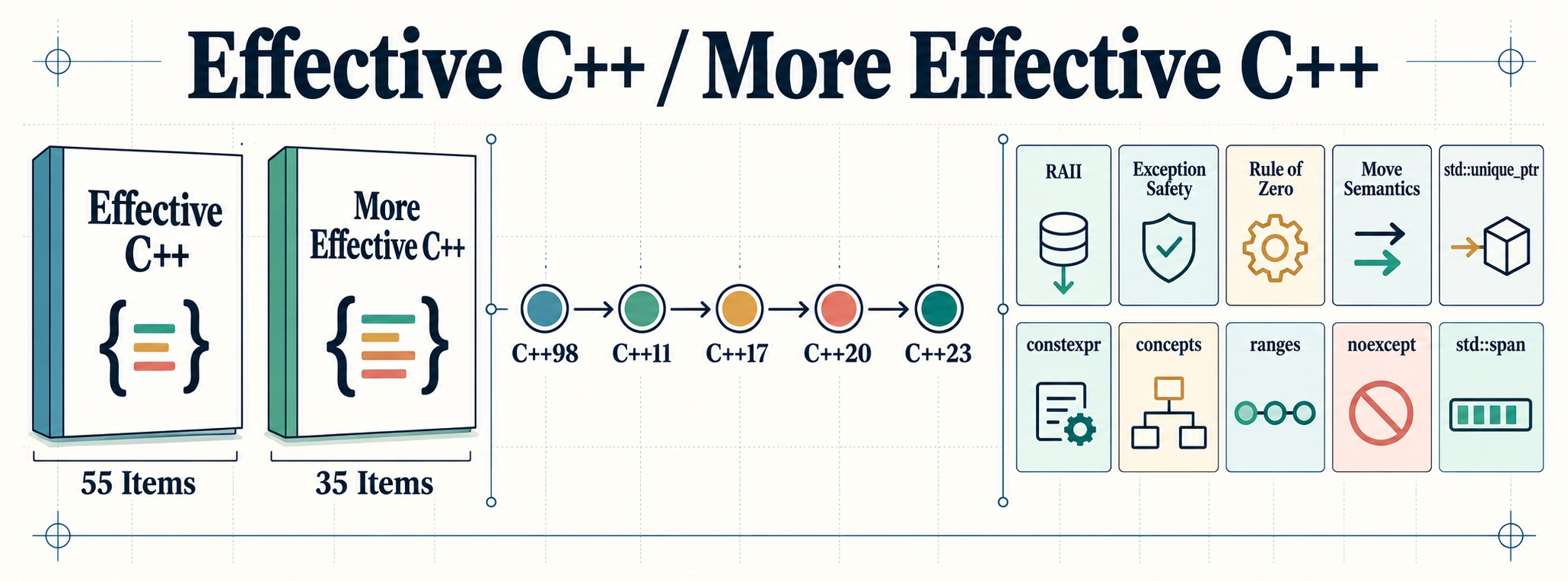
Effective C++ 与 More Effective C++ 现代重读
《Effective C++》第三版(2005,55 条)成书于 C++98,《More Effective C++》(1996,35 条)甚至早于第一个标准。两本书奠定了 C++ 工程实践的基本盘——RAII、异常安全、最小惊讶的接口设计——但在 C++11 之后的语言里,相当一部分条款已被语言特性直接解决,另一部分则换了个形态继续成立。本文按现代 C++(C++11–C++23)的标准逐...
2026-09-28
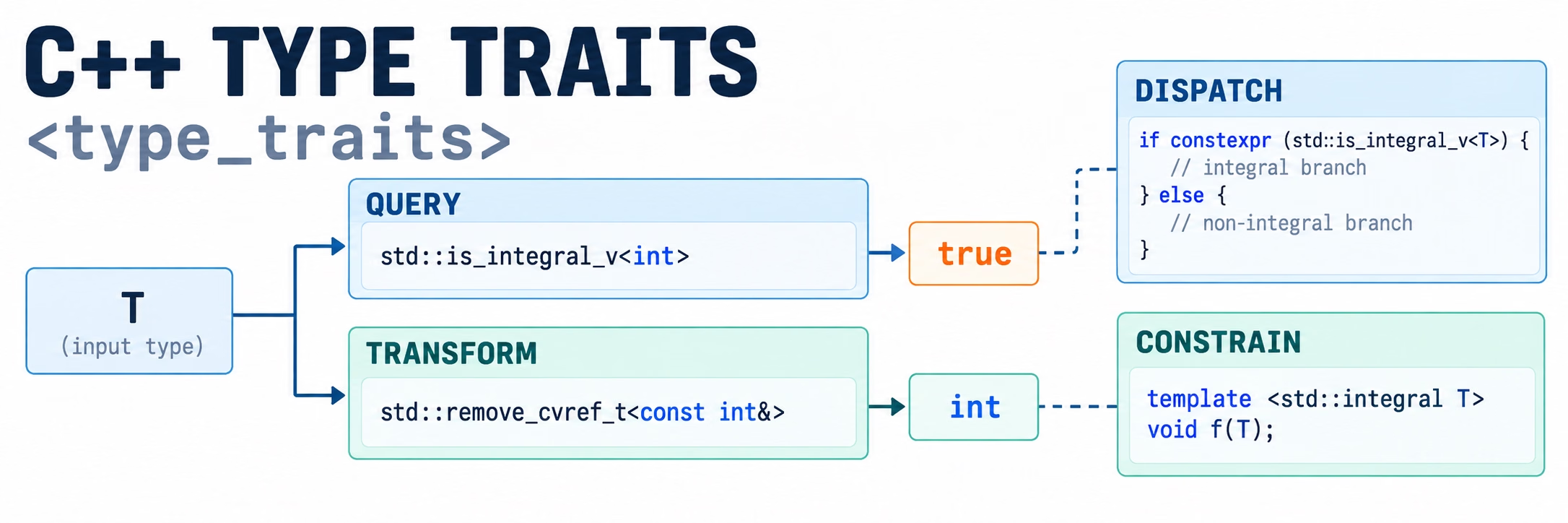
C++ Type Traits:在编译期认识和处理类型
📑 C++ 泛型编程系列:模板 | Type Traits | Concept 写泛型代码时,常会遇到这样的问题:T 是不是整数?能不能用一组参数构造?移动构造是否可能抛异常?去掉引用和 const 后是什么类型?这些问题取决于类型,通常要在编译期回答。标准库 <type_traits> 提供的 type traits(类型特征),就是一组回答这类问题的模板。 先看最常见的...
2026-08-12
C++ 易误用的标准库函数
标准库函数的名字不总能准确表达语义:边界不代表命中,划分不等于排序,逻辑删除不改变容器大小,保存回调也不一定拥有它访问的数据。本文按六个系列整理这些区别,重点说明返回值、前置条件和常见误用。代码省略头文件与 main;ranges 接口及 std::erase 等需要 C++20,其他版本要求单独注明。 二分查找:边界不代表命中 三个接口的区别 在默认升序比较下: 函数 返回值 val...
2026-08-10
C++ 容器速查手册
STL 容器与原生数组的 API 速查表,按“查得到、抄得来”组织,覆盖构造、访问、容量、修改、查找。原理(内存布局、扩容机制、迭代器失效的根因、选型权衡)见 C++ STL 容器,内存分配细节见 C++ STL Allocator。本文只列怎么用。 容器总览 容器 头文件 底层 迭代器类别 随机访问 T[N] 原生数组 - 连续 指针(随机) ✓ array <ar...